



































































Treegers
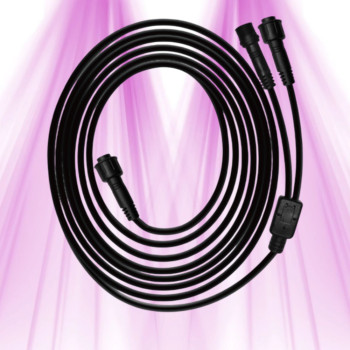
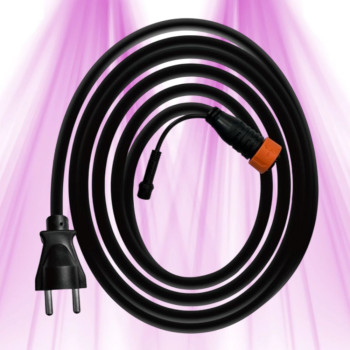
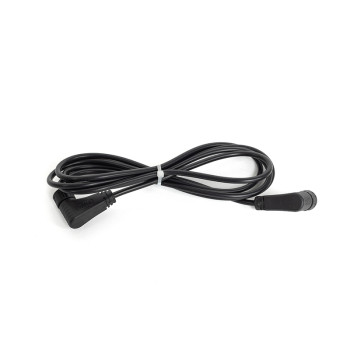
Treegers 4M Fixture Connection Cable – Synchronized Series Connection
In stock · Shipped within 24 h
18,24 €

Product successfully added to your shopping cart
Ça pousse dans le bon sens

8 products
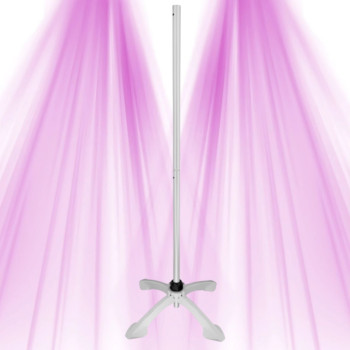
Plan mounting and connections, then adjust height with the Smart Lifter. Each listing explains compatibility and required items.
Help & advice
About Mounts, cables and lifting — click a question to see the answer.
Installing ThinkGrow accessories is generally very intuitive, as they are designed to integrate seamlessly with your LED lighting system. I always recommend starting by consulting the specific user manual for each accessory. For cables and extension cords, it's often just a matter of plugging them into the dedicated ports on your lights or drivers. If you're using a driver like the ThinkGrow Driver TLD-4, make sure to respect the polarities and connections to the LED modules.
The 360 cm ThinkGrow Daisy Chain cable is an essential accessory for centralized management of multiple LED lights. In practice, it allows you to interconnect several luminaires, greatly simplifying the wiring and synchronization of your entire setup. This is particularly useful for large grow areas where you want to control the intensity or light cycles of multiple units simultaneously from a single controller.
The main difference between the ThinkGrow Driver TLD-4 and the TLD-2 lies in the number of output channels they offer. The TLD-4 provides four channels, meaning it can power and control up to four distinct LED modules or sections of your light. The TLD-2, on the other hand, has two channels. The choice will therefore depend on the number of LED modules your Model One (or other compatible luminaire) needs to be powered and controlled independently.
Check the light's model and generation, connector, voltage and required length. The DEA-12 and EC-12 extensions are no longer in our range. A control cable cannot replace a power cable.
For the Model One, both the ThinkGrow TLD-2 and TLD-4 drivers are offered with a wattage of 90W. The choice of driver wattage will actually depend on the total consumption of the LED modules you wish to power. Generally, drivers are designed to perfectly match the power requirements of compatible ThinkGrow luminaires. If you have any doubts, I invite you to check the specifications of your Model One and ensure that the driver's wattage matches or slightly exceeds the required consumption.
A common mistake I often see is not checking connector compatibility before plugging in. Make sure the plugs match the ports on your lights and drivers. Another mistake is not properly securing cables, which can lead to accidental disconnections or tripping hazards. Finally, never overload a driver or extension cord beyond its rated capacity; this could damage your equipment or even create an electrical hazard.
The brand or the appearance of a connector is not enough to establish compatibility. Check the documentation for the light, controller and accessory models. Do not assume an accessory works with every ThinkGrow product or another brand.
To manage multiple LED lights in indoor cultivation, the key accessory is undoubtedly the ThinkGrow Daisy Chain cable. It allows you to interconnect your luminaires for centralized management, often via a master controller (not included in this accessory category but essential for control). This greatly simplifies the programming of light cycles and intensity adjustment for your entire setup, which is crucial for optimizing your plants' growth.
The ThinkGrow 90W driver, whether it's the TLD-4 or the TLD-2, is suitable for your grow if the total power required by your LED modules is 90W or less. It is designed to power the LED modules of the Model One. To know if it is suitable, I advise you to check the power consumption of each LED module you plan to use and ensure that the sum does not exceed the 90W of the driver. For more general advice on choosing lighting, you can consult this guide.
Cannot find your answer? 01 88 33 45 52 or by message.